Rule-Based Automation vs AI Agents in CRM: When Rules Still Win
Rule-based automation vs AI agents in CRM: learn the difference, which CRM workflows to keep as rules and which to hand to agents, what the 30% rule for AI means, and how to integrate agents safely.
Harsh Mangal
PRINCIPAL ARCHITECT9 MIN READ

Rule-based automation vs AI agents: rules follow fixed if-then steps, while AI agents understand messy inputs and decide the next step within guardrails. Keep rules for simple, predictable CRM workflows and use agents for judgment-heavy ones. iSkylar builds both for teams worldwide, with custom agents typically costing $5,000 to $100,000.
Most CRMs already run on automation: "when a form is submitted, create a lead," "when a deal stalls for 7 days, alert the owner." These rules work, until a customer writes an email the rule didn't expect, or a lead doesn't fit any branch of the workflow.
That's where AI agents come in. But replacing every rule with an agent is expensive and risky. The smart move is knowing which CRM workflow automation to keep as rules and which to hand to agents.
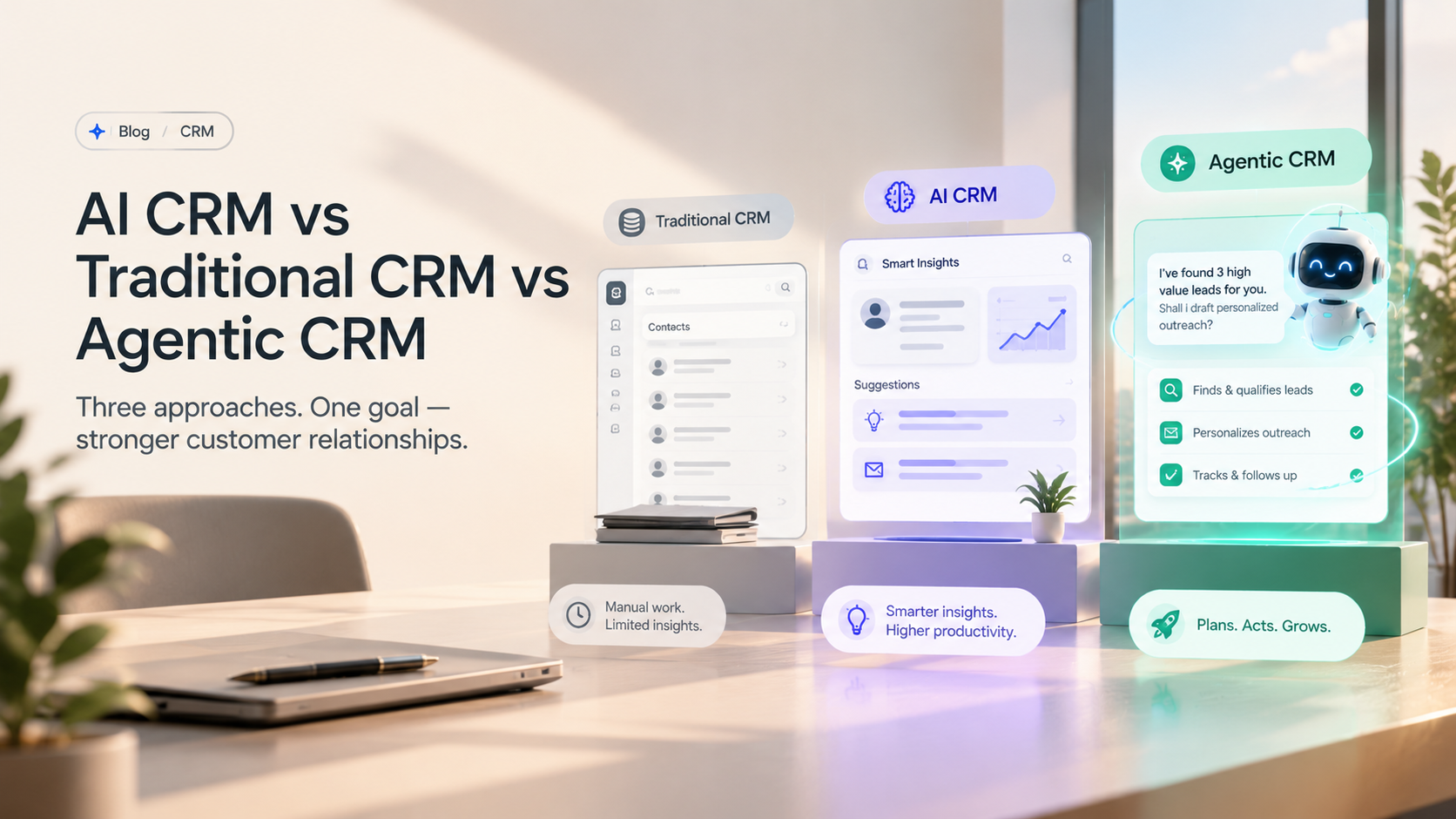
This guide explains rule-based automation vs AI agents in a CRM, when each one wins, and how to move workflows over safely. It's part of our CRM series; for the full picture, read AI CRM vs traditional CRM vs agentic CRM.
What Is Rule-Based Automation in a CRM?
Rule-based automation runs fixed if-then logic: when a trigger happens and conditions are met, the CRM performs a set action. Examples include assigning leads by territory, sending a welcome email after sign-up, or creating a task when a deal changes stage.
Rules are fast, cheap, predictable and easy to audit. Their weakness is rigidity: they can't read intent, handle exceptions or cope with inputs they weren't designed for.
What Are AI Agents in CRM Systems?
AI agents in a CRM are AI systems that pursue a goal, such as "qualify this lead" or "resolve this ticket," by reading context, choosing steps and using CRM tools and integrations to act. They can handle unstructured inputs like emails, chat messages and call transcripts, and they escalate to a person when confidence is low or the stakes are high.
For a deeper introduction, see our guide to agentic AI for business. If you're still deciding whether your CRM needs AI at all, start with AI CRM vs traditional CRM.
What Is the Difference Between AI Agents and Automation?
Automation follows the steps you define; AI agents decide the steps to reach the goal you define. Rules are deterministic, so the same input always produces the same output. Agents are adaptive, so they can handle new situations, but they need guardrails, testing and monitoring.
Rule-based automation | AI agents | |
How it works | If-then triggers and conditions | Goal, context and tools; decides next steps |
Inputs | Structured fields | Structured and unstructured: emails, chats, calls |
Exceptions | Breaks or falls through | Handles or escalates |
Predictability | Fully predictable | Needs guardrails and testing |
Cost to run | Very low | Model usage costs per task |
Audit | Easy: the rule is the explanation | Needs logging of inputs, decisions and actions |
Best for | Simple, high-certainty steps | Judgment, language and multi-step work |
Is Rule-Based AI Actually AI?
Not in the modern sense. Rule-based systems were an early form of AI, often called expert systems, but they don't learn or reason beyond the rules people write. Today's AI agents use large language models and machine learning to interpret context, which is why they can handle situations their builders never listed.
When Should You Keep Rules and When Should You Use AI Agents?
Keep rules when the input is structured and the right action is always the same. Use AI agents when the input is messy or the right action depends on judgment. Most CRMs end up hybrid: agents make decisions, and rules execute the predictable steps around them.
CRM workflow | Input type | Judgment needed | Best approach |
Lead assignment by territory or round robin | Structured | None | Keep as rule |
Welcome and onboarding emails | Structured | Low | Keep as rule |
Lead qualification from forms, chats and emails | Unstructured | High | AI agent |
Support ticket triage and first replies | Unstructured | Medium to high | AI agent, rule for routing |
Deal follow-ups after calls | Call notes, emails | Medium | AI agent drafts, person approves |
Data entry and enrichment | Mixed | Low to medium | AI agent |
Discount approvals and contract changes | Structured | High risk | Rule plus human approval |
What Is the 30% Rule for AI?
The "30% rule" is an informal rule of thumb, not a formal standard, and its origins are hard to trace. It suggests AI handles roughly 70% of a workflow, usually the routine, time-consuming parts, while people keep the remaining 30% that needs judgment, creativity and relationships.
In a CRM, that maps neatly onto a hybrid setup: agents and rules handle the repetitive 70%, such as data capture, triage and first drafts, while people own negotiation, sensitive conversations and final approvals.
Is RPA a Dying Technology?
No, but its role is shrinking. Robotic process automation (RPA), which copies clicks and keystrokes, still works for stable, screen-based tasks in older systems. For tasks involving language or judgment, AI agents are replacing it, and many teams now combine both: agents decide, RPA or API calls execute.
How to Integrate AI Agents With Your CRM
Integrate AI agents through your CRM's APIs, with permission-scoped access and an approval step for important actions. A practical sequence:
Audit your current automations. List every rule and workflow, and mark which ones break or need manual fixes most often.
Pick one judgment-heavy workflow. Lead qualification or support triage are the usual first agents.
Connect through APIs, not screens. Give the agent only the fields and actions it needs.
Keep rules for execution. Let the agent decide, and let existing rules handle routing, notifications and record updates.
Log and review. Record what the agent saw, decided and did, and review samples weekly during the pilot.
Older or heavily customized CRMs can be harder to connect; our guide to integrating AI with legacy systems covers the options. To keep agent running costs low, use small models for routine decisions, as explained in our LLM vs SLM framework.
What Does It Cost to Replace Rules With AI Agents?
Starter | Growth | Enterprise | |
Scope | One agent on one workflow, such as lead qualification | Agents across sales and service, working with existing rules | Multi-agent system across departments with governance |
Typical build cost | From $5,000 | Up to $100,000 | Well above $100,000 |
Recommended path | 30 to 60 day pilot with approvals | Expand workflow by workflow | Phased rollout with a central agent platform |
Industry ranges for custom AI workflow agents, not fixed quotes. Rules themselves cost almost nothing to run, which is why you should keep them wherever they work.
Proof: From Scripted Chatbot to AI Sales Agent
Vengo AI set out to replace static, scripted chatbots that couldn't qualify leads or book meetings. iSkylar built its 24/7 AI sales agent platform, with natural conversation, structured qualification and CRM integrations. The result: 3x more qualified leads, response times under 60 seconds and a 30% lift in lead-to-meeting conversion.
Still need a simpler rule-based bot for FAQs? Our chatbot development team builds both.
Compliance When Agents Act in Your CRM
Agents that contact customers or make decisions about people must follow the same rules as your team: GDPR and UK GDPR in Europe and the UK, CCPA/CPRA in California, CAN-SPAM and TCPA for US email, calls and texts, and PDPL in the UAE and Saudi Arabia. The EU AI Act requires telling customers when they're interacting with AI. This is general guidance, not legal advice.
Keep the Rules That Work. Add Agents Where They Don't.
You don't need to rebuild your CRM automation. Find the workflows where rules keep breaking, give those to an agent, and let your rules keep doing what they do best.
Talk to iSkylar about adding AI agents to your CRM workflows. We'll audit your current automations and show you which ones an agent would improve.
WRITTEN BY
Harsh Mangal
Marketing & Growth at iSkylar Technologies, an AI-first software development company. He writes about AI adoption, AI agents and how businesses modernize their CRM and sales operations.
Frequently Asked Questions
What is the difference between AI agents and automation?
What is rule-based automation in CRM?
Is rule-based AI actually AI?
When should I use AI agents instead of rules in my CRM?
What is the 30% rule for AI?
Is RPA a dying technology?
How do you test an AI agent before giving it CRM access?
Can AI agents and rule-based automation work together?
Further Reading


Stay at the forefront of innovation.
innovation.
Join our inner circle of industry leaders and get exclusive insights delivered to your inbox every Thursday morning.
WE RESPECT YOUR PRIVACY. NO SPAM, EVER.
Updated At: